आज के समय में Instagram सिर्फ एक सोशल मीडिया ऐप नहीं है, ये एक पूरा करियर प्लेटफॉर्म बन चुका है। चाहे आप influencer बनना चाहते हों, business बढ़ाना चाहते हों या पर्सनल ब्रांडिंग करना चाहते हों, Instagram पर सही टूल्स का इस्तेमाल आपकी Grow को कई गुना तेज कर सकता है।
लेकिन असली problem यह है कि हर कोई paid tools अफोर्ड नहीं कर सकता। इसलिए Free Tools की डिमांड बहुत ज्यादा है, जो बिगिनर्स को बिना पैसे खर्च किए प्रोफेशनल लेवल की content quality और growth provide करते हैं।
इसीलिए इस आर्टिकल में हम आपको ऐसे Top Free Tools के बारे में बताएंगे जो आपकी Instagram Journey को आसान, अट्रैक्टिव और पावरफुल बना सकते हैं, कुछ ही पलों में.
Quick Comparison of Free Instagram Tools
अपनी जरूरत के अनुसार सही Instagram tool चुनने के लिए नीचे इनके best use, free limitations और supported platforms की तुलना देखें।
| Tool | Best For | Free Limitation | Platform |
|---|---|---|---|
| 1 Canva | Instagram posts, Stories, Reel covers और carousel designs | कुछ AI और advanced features paid | Web, Android, iOS |
| 2 Edits by Instagram | Reels, short videos, captions और Instagram-ready editing | मुख्य editing features free | Android, iOS |
| 3 CapCut | Advanced video editing, effects, transitions और auto captions | India में officially unavailable | Mobile, Desktop |
| 4 Snapseed | Photo editing, colour correction, healing और portrait enhancement | लगभग सभी मुख्य tools free | Android, iOS |
| 5 Instagram Insights | Reach, engagement, followers और content performance analysis | Professional account जरूरी | Instagram App |
| 6 Meta Business Suite | Post scheduling, analytics, comments और account management | कुछ features account type पर depend | Web, Android, iOS |
| 7 Remove.bg | Profile pictures और product photos का background हटाना | High-resolution download limited | Web |
| 8 ChatGPT | Captions, Reel scripts, content ideas और planning | Free plan में usage limits हो सकती हैं | Web, Android, iOS |
Note: Tools की free सुविधाएँ और limitations समय के साथ बदल सकती हैं। इस्तेमाल करने से पहले उनकी official website या app listing पर current details जरूर check करें।
Best Free Tools For Your Instagram Journey
यहाँ हम आपको ऐसे Free Tools बता रहे हैं जो आपके Instagram अकाउंट को तेजी से ग्रो करने में मदद करते हैं। ये tools आपकी content quality, reach और engagement बढ़ाकर आपकी Insta journey को आसान बनाते हैं।
1.Canva
Canva एक आसान और popular designing tool है, जिसकी मदद से Instagram Posts, Stories, Reel Covers, Carousels और Thumbnails कुछ ही मिनटों में बनाए जा सकते हैं। इसमें कई free customizable templates और drag-and-drop editor मिलता है, इसलिए beginners भी बिना professional designing experience के attractive content तैयार कर सकते हैं।
Canva में basic photo editing, fonts, stickers, icons और stock elements भी मिलते हैं। हालांकि Background Remover और कुछ advanced AI features का free usage limited हो सकता है या वे Canva Pro के अंतर्गत उपलब्ध हो सकते हैं।
Canva के मुख्य Features:
- Drag-and-drop editing
- Free Instagram templates
- Fonts, stickers और graphic elements
- Post, Story और Reel Cover designs
- Mobile और Desktop दोनों पर उपलब्ध
- Brand colours और templates customize करने का option
2. Edits By Instagram
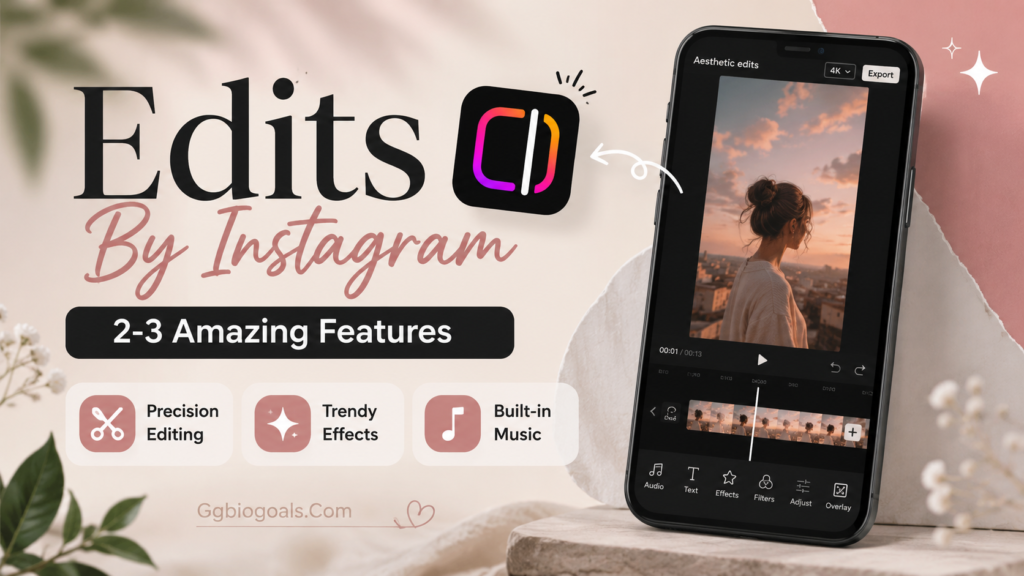
Edits by Instagram creators के लिए बनाई गई एक official video-editing app है। इसकी मदद से Reels और short videos को trim, arrange और customize किया जा सकता है। इसमें automatic captions, text editing, background cutout और audio enhancement जैसी useful सुविधाएँ मिलती हैं।
यह उन beginners के लिए अच्छा option है जो किसी दूसरी complex editing app के बिना professional-looking Instagram videos बनाना चाहते हैं। तैयार video को Instagram पर आसानी से share भी किया जा सकता है।
Edits by Instagram के मुख्य Features:
- 4K video export
- Watermark-free export
- Automatic captions
- Frame-by-frame editing
- Background cutout और green screen
- Audio enhancement
- Instagram पर direct sharing
- Reels performance insights
3. CapCut
CapCut Reels और short videos edit करने के लिए एक popular video-editing tool है। इसमें transitions, visual effects, automatic captions, trending templates, music और sound effects जैसे कई advanced features मिलते हैं।
हालांकि CapCut भारत में officially उपलब्ध नहीं है। इसलिए Indian creators VN Video Editor, Instagram Edits, InShot, Clipchamp या Canva Video Editor जैसे alternatives इस्तेमाल कर सकते हैं।
आप हमारी Free CapCut Alternatives in India guide भी पढ़ सकते हैं:
CapCut के Popular Features:
- आसान video trimming
- Trending transitions और effects
- Automatic captions
- Ready-made video templates
- Music और sound effects
- High-quality video export
4. Snapseed
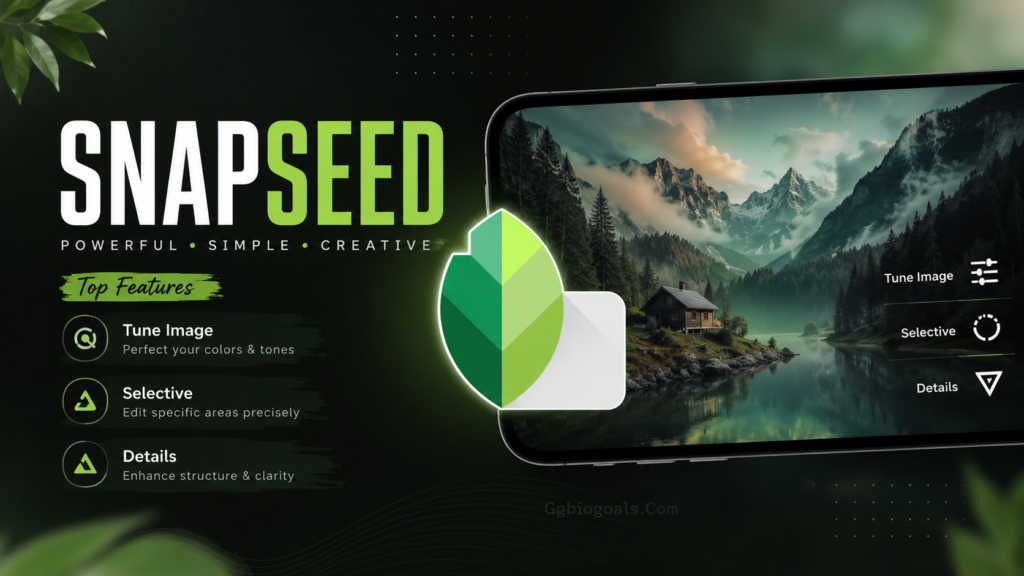
Snapseed Google द्वारा बनाया गया एक professional photo-editing app है। इसकी मदद से Instagram photos की brightness, colours, details, framing और overall quality को improve किया जा सकता है।
इसमें कई professional tools और filters मिलते हैं। Snapseed खासतौर पर उन creators के लिए useful है जो अपनी photos को natural और clean look देना चाहते हैं। इसमें सामान्य रूप से ads, subscription या exported image पर watermark नहीं होता।
Snapseed के मुख्य Features:
- 30 से अधिक professional tools और filters
- Selective adjustments
- Healing tool
- RAW image editing support
- Portrait editing tools
- Curves और white balance control
- Perspective correction
- Smart masking और detailed adjustments
5. Instagram Search और Instagram Insights
Instagram पर reach बढ़ाने के लिए केवल hashtags पर depend करना सही strategy नहीं है। Instagram Search की मदद से आप अपने niche से संबंधित keywords, topics, accounts और content ideas खोज सकते हैं।
Instagram Insights professional और creator accounts के लिए उपलब्ध एक free analytics feature है। इसकी मदद से आप यह समझ सकते हैं कि कौन-सा content सबसे ज्यादा reach, engagement, saves और shares प्राप्त कर रहा है।
Instagram Search और Insights के फायदे:
- Niche से जुड़े keywords खोजना
- Trending topics और content ideas देखना
- Accounts reached और impressions check करना
- Likes, comments, saves और shares analyze करना
- Followers और non-followers की reach समझना
- Audience के active days और time देखना
- बेहतर content strategy तैयार करना
केवल views पर focus न करें। Saves, shares, profile visits और follows भी content performance को सही तरीके से समझने के लिए महत्वपूर्ण metrics हैं।
6. Meta Business Suite
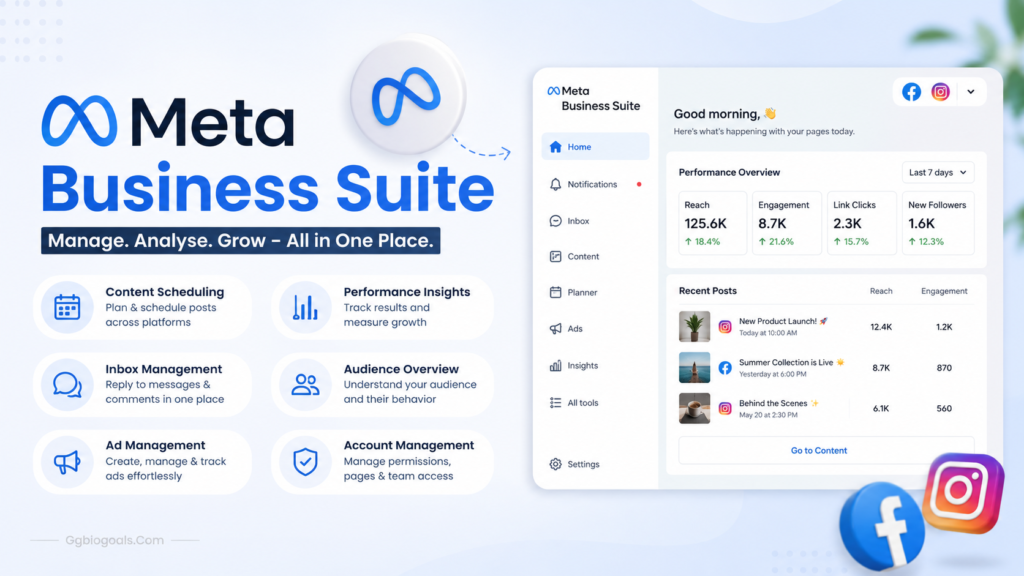
अगर आप Instagram पर नियमित रूप से Posts और Reels publish करते हैं, तो Meta Business Suite आपके लिए एक useful free management tool हो सकता है। इसकी मदद से Instagram और Facebook content को एक ही dashboard से manage किया जा सकता है।
आप posts को पहले से schedule कर सकते हैं, comments और messages देख सकते हैं और available insights की मदद से content performance analyze कर सकते हैं। इससे आपका समय बचता है और posting consistency बनाए रखना आसान होता है।
Meta Business Suite के मुख्य Features:
- Posts और content scheduling
- Facebook और Instagram management
- Comments और messages manage करना
- Content performance insights
- Drafts और content calendar
- एक ही जगह से multiple tasks manage करना
सही समय पर content publish करने के लिए हमारी Viral Instagram Reels Posting Strategy guide भी पढ़ें:
Remove.bg एक AI-based background removal tool है। इसकी मदद से किसी photo का background automatically हटाया जा सकता है। यह Instagram profile pictures, product photos, thumbnails और promotional designs बनाने के लिए काफी useful है।
इसके लिए Photoshop या किसी advanced editing software की जानकारी जरूरी नहीं होती। Photo upload करने के बाद tool background हटाकर transparent image preview तैयार कर देता है।
Remove.bg के मुख्य Features:
- One-click background removal
- Fast automatic processing
- Transparent background preview
- Profile pictures के लिए useful
- Product photography में मददगार
- किसी software installation की जरूरत नहीं
Free version में full-resolution या high-quality downloads सीमित हो सकते हैं। बेहतर resolution में image download करने के लिए paid credits की जरूरत पड़ सकती है।
8. ChatGPT
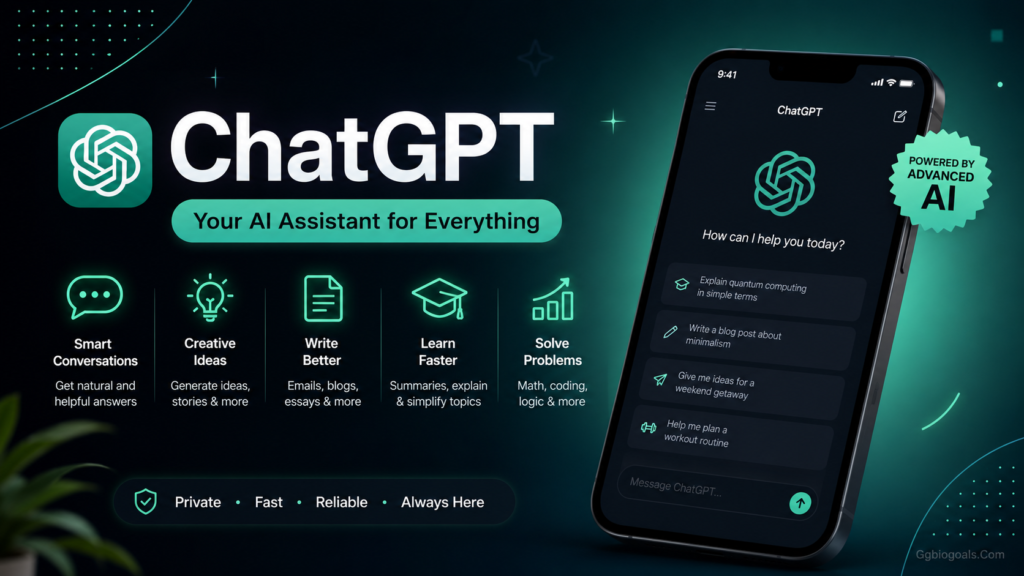
कई creators को photo या Reel upload करते समय यह समझ नहीं आता कि क्या title लिखें, कैसा caption दें, description में क्या जोड़ें या कौन-से hashtags इस्तेमाल करें। ChatGPT इन सभी tasks में ideas और drafts तैयार करने में मदद कर सकता है।
इसकी मदद से Instagram captions, Reel scripts, content ideas, carousel outlines और weekly content plans बनाए जा सकते हैं। बेहतर results पाने के लिए prompt में अपना niche, audience और desired tone साफ-साफ बताना चाहिए।
ChatGPT Instagram के लिए कैसे मदद करता है?
- Caption writing
- Reel hooks और scripts
- Content ideas
- Weekly content planning
- Carousel post outlines
- Bio और call-to-action ideas
- Hashtag और keyword suggestions
Example Prompt:
Story Highlights
ChatGPT से मिलने वाले captions, facts, trends और hashtags को publish करने से पहले अपनी audience और latest information के अनुसार verify और customize जरूर करें। Free version में usage limits हो सकती हैं।
Some Essential Tips For Instagram Growth
हमने आपको Best Free Tools के बारे में तो बता दिया, अब आती हैं Instagram Growth के लिए कुछ जरूरी टिप्स, जो कि आपको ये सारी बातें ध्यान देना बेहद जरूरी है.
- रोजाना Consistent पोस्ट करें
- Trending Reels बनाएं
- सही Hashtags का उपयोग करें
- Audience के Comments का Reply दें
- High Quality Content बनाएं
- Analytics देखकर अपनी Strategy सुधारें
Conclusion:
अंत में, Instagram journey को successful बनाने के लिए सिर्फ talent नहीं, सही tools का इस्तेमाल भी बहुत जरूरी है। ऊपर बताए गए सभी free tools आपकी content quality, editing skills और growth को बहुत improve कर सकते हैं।
हमें उम्मीद है कि इस आर्टिकल से आपको useful free tools की जानकारी मिली होगी। अगर यह जानकारी पसंद आई हो तो इसे अपने दोस्तों और नए creators के साथ जरूर share करें, ताकि वे भी अपनी Instagram journey को बेहतर बना सकें और आगे बढ़ सकें।
और भी ऐसे ही ताज़ा और useful आर्टिकल के लिए Ggbiogoals.Com पर जरूर जाएं, साथ ही हमारे WhatsApp Channel को join करें ताकि आपको हर Latest Update सबसे पहले मिल सके।